AI
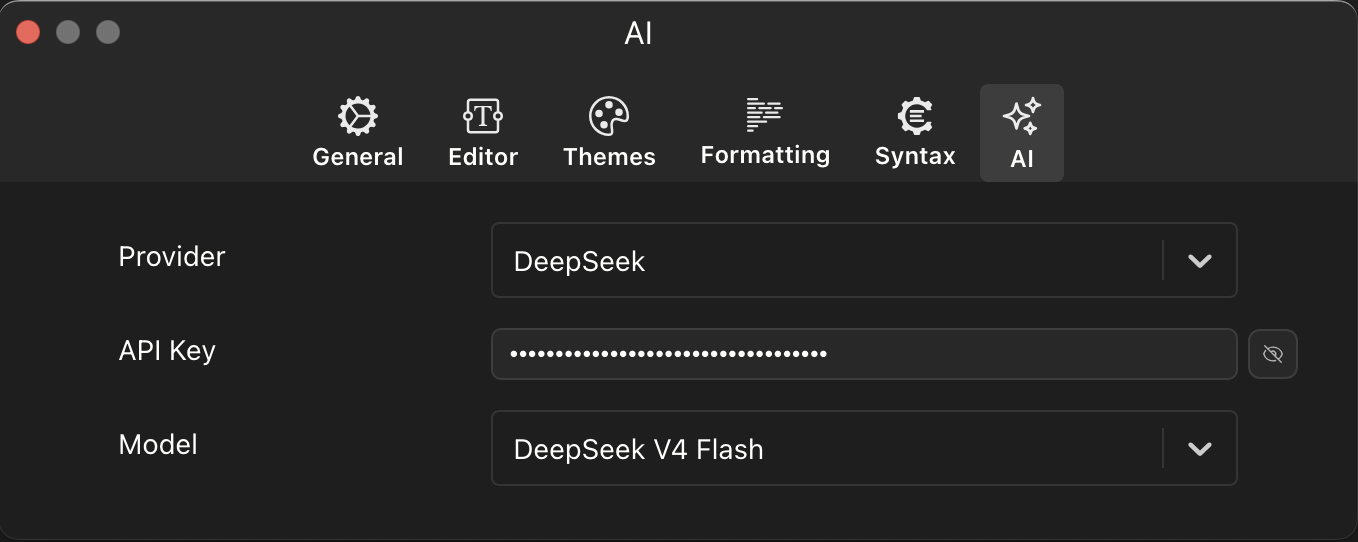
The AI preferences panel configures the built-in AI assistant that powers the chat feature in PlayJS. You bring your own API key and choose from multiple providers and models. Access it via Preferences → AI.
Provider
Select the AI service provider for the chat assistant. PlayJS supports the following providers:
- OpenAI — GPT series models
- Anthropic — Claude series models
- Google — Gemini series models
- DeepSeek — DeepSeek series models
- xAI — Grok series models
- MiniMax — MiniMax series models
- Kimi — Moonshot series models
Each provider offers different models with varying capabilities, speed, and pricing. Choose the one that best fits your needs or the API key you already have.
API Key
Enter the API key for your selected provider. The key is stored locally on your machine and is never sent anywhere other than the provider’s API endpoint. You can toggle the visibility of the key using the eye icon next to the input field. Each provider requires its own API key — if you switch providers, you will need to enter the corresponding key.
Model
Choose the specific model to use from your selected provider. The available models update based on the provider you have selected. Different models within the same provider may offer trade-offs between response quality, speed, and cost. For example, larger models tend to produce more accurate and detailed responses, while smaller or “flash” variants are faster and more cost-efficient for simpler tasks.
